

A clunky or confusing checkout experience can cost your business valuable sales.
For small business owners, mastering mobile checkout UX is essential for driving conversions and keeping customers coming back.
From simplifying form fields to enabling guest checkout, small changes can make a big difference.
In this guide, we’ll walk you through proven tips to streamline your mobile checkout process and turn more browsers into buyers.
Why Mobile Checkout UX Matters More Than Ever
With more consumers shopping on their smartphones, a seamless mobile checkout experience is a necessity. Mobile users expect speed, convenience, and clarity when making purchases, and even minor friction points can lead to cart abandonment.
In fact, studies show that a poor checkout experience is one of the top reasons customers abandon their carts on mobile devices.
For small business owners, this means that optimizing mobile checkout UX directly impacts your bottom line. By delivering a smooth, intuitive checkout process, you not only increase conversions but also build trust and encourage repeat purchases.
Key Principles of an Effective Mobile Checkout Process
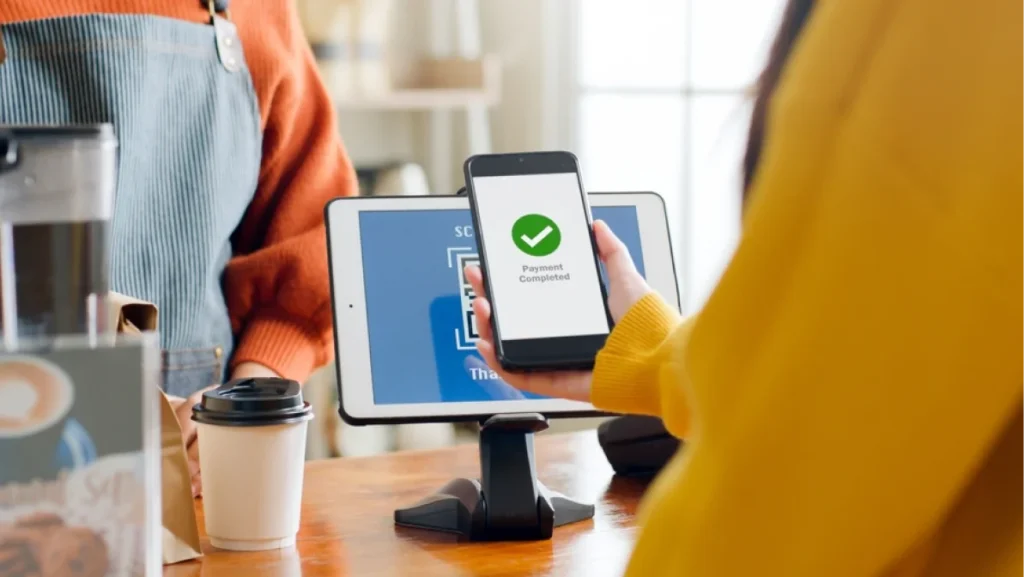
A seamless mobile checkout experience can mean the difference between a completed sale and an abandoned cart.
Whether you’re using traditional online checkout or mobile self checkout solutions, these principles help guide a better user journey.
- Clarity and Simplicity: Keep the mobile checkout interface clean and distraction-free. Avoid unnecessary steps or clutter that might overwhelm users during mobile self checkout.
- Minimize Input Effort: Only ask for essential information during checkout. Fewer taps mean a faster and smoother experience for mobile users.
- Consistency Across Devices: Ensure that your mobile checkout process mirrors the experience on desktop. This builds trust and familiarity, especially for returning customers.
- Secure and Trustworthy Design: Use recognizable security icons and clear privacy messages. Shoppers are more likely to complete the checkout when they feel their data is safe.
Mobile Checkout UX Tips That Actually Work
Creating an intuitive mobile checkout flow is critical for converting visitors into customers. With attention spans shorter on mobile devices, every second and every click matters. These actionable tips will help you refine your mobile checkout UX and keep buyers moving through the funnel with ease.
1. Simplify the Checkout Flow
Keep the online checkout mobile process streamlined with as few steps as possible. Break down the checkout into digestible sections and use a progress indicator so users know where they are. A smoother mobile checkout flow reduces friction and increases completion rates.
2. Enable Guest Checkout
Not all customers want to create an account—especially on mobile. Allowing guest checkout can reduce bounce rates and lead to quicker transactions. Later in the process, you can still offer the option to save info for future purchases.
3. Leverage Mobile Wallets and Payment Options
Integrate popular mobile payment methods like Apple Pay, Google Pay, and PayPal to speed up the process. These tools enhance mobile checkout UX by reducing the need for manual input. Offering flexible payment options builds user confidence and caters to different preferences.
4. Autofill and Smart Form Design
Use autofill features and smart form validation to minimize typing. Mobile users appreciate intuitive forms that automatically detect and format data like phone numbers or zip codes. This small improvement makes the mobile checkout flow noticeably smoother.
5. Prioritize Page Load Speed and Performance
Slow-loading checkout pages lead to high abandonment rates. Optimize images and scripts to ensure your mobile self-checkout runs fast and efficiently. A responsive, quick-loading interface is crucial for a top-tier mobile checkout experience.
Common Mistakes to Avoid in Mobile Checkout UX

Even with the best intentions, small business owners can unknowingly introduce friction into the mobile checkout process. Identifying and fixing these common missteps can make a significant difference in your conversion rates. Here are five frequent errors—and mobile checkout tips to help you avoid them.
Overcomplicating the Checkout Steps
A long, multi-page checkout with unnecessary steps can frustrate users and cause them to abandon their purchase. Simplify your mobile checkout process by removing redundant fields and using progress indicators.
Forcing Account Creation Before Checkout
Requiring users to create an account before purchasing can stop impulse buyers in their tracks. Instead, enable guest checkout and allow account creation after purchase as an option.
Poor Button Placement and Design
Buttons that are too small or placed too close together can be hard to tap on a mobile screen. Make sure your call-to-action buttons are large, clearly labeled, and easy to find.
Lack of Payment Flexibility
Limiting payment options discourages users who prefer mobile wallets or alternate methods. Integrating popular mobile payments enhances the mobile checkout process and builds trust with your customers.
Ignoring Error Handling and Validation
Users can get frustrated if the form doesn’t explain why something went wrong. Include clear error messages and real-time validation so shoppers can easily correct mistakes during checkout.
Testing and Optimizing Your Online Mobile Checkout

Regularly testing and refining your mobile checkout experience is essential for staying competitive and improving conversions. As technology evolves and customer expectations shift, optimization should be an ongoing priority. Use these strategies to continually enhance your online mobile checkout.
A/B Test Elements of the Checkout Flow
Experiment with different versions of your checkout layout, buttons, or payment options. This helps you identify which combinations yield better engagement and higher conversion rates.
Track Analytics and User Behavior
Use heatmaps, funnel tracking, and analytics tools to see where users drop off in the mobile checkout process. This data gives you insights on what’s working—and what needs fixing.
Collect Feedback Directly from Customers
Surveys or post-checkout questions can help uncover usability issues. Direct input from your shoppers reveals pain points that analytics alone might miss.
Time to Upgrade Your Mobile Checkout Experience with Expert Help
Mastering your mobile checkout process is a business necessity. From avoiding common UX mistakes to testing and optimizing your online mobile checkout regularly, these strategies will help you improve conversions and create a smoother shopping journey for your customers.
If you’re ready to take the next step, LeadOrigin offers expert small business website development services tailored to help you design fast, intuitive, and mobile-optimized experiences.
We serve businesses across the U.S., with offices at 2100 W Loop S #1400, Houston, TX 77027 and 228 Hamilton Ave Suite 325, Palo Alto, CA 94301.Whether you’re looking to revamp your checkout flow or build a new site from scratch, our team is here to help you succeed in the mobile-first marketplace. Contact us today to get started.